Block Blast is a free game from Hungry Studiothe official Google Play listing shows over 1 billion downloads and a 4.6-star ratingofficially available on iOS, Android, and Windows PC through Google Play Games. Core gameplay works offline once installed. Here's where to get it, and how to tell an official listing apart from an unrelated site using the same name.
| Platform | Official source | Cost |
|---|---|---|
| Android | Google Play Store | Free |
| iPhone / iPad | Apple App Store | Free |
| Windows PC | Google Play Games on PC | Free |
| Browser | Check the site's operator first | Varies |
Is Block Blast Free to Play?
Yes. Block Blast is free to download and play on every platform above, with ads and optional in-app purchases like most free mobile games.
How to Download Block Blast on Mobile
Block Blast on Android
Download it through the Google Play Store, listed under developer HungryStudio. Sticking to the official listing matterssideloaded APK versions from third-party sites carry real security risks, covered in detail in our Block Blast Mod APK guide.
Block Blast on iOS
For iPhone and iPad, it's on the App Store, also listed under Hungry Studio, and updates through the App Store like any other app.
Is Block Blast Available on PC?
Yes, through Google Play Games on PCGoogle's platform for running select Android apps on Windows. The Google Play listing itself shows an "Install on Windows" option for Block Blast, so installing through it gets you the real app rather than a clone. It isn't a native Windows build made specifically for the game; it runs through Google's Android compatibility layer, the same as any other supported title on the platform.
System Requirements to Play on PC
These come from Google Play Games on PC itselfthey're the general platform requirements that apply to any supported game, not something specific to Block Blast:
| Requirement | Minimum |
|---|---|
| Operating system | Windows 10 version 2004 or later |
| Processor | 4 physical CPU cores |
| RAM | 8 GB |
| Storage | SSD with at least 10 GB free |
| Graphics | Intel UHD Graphics 630 or comparable |
| Other | Hardware virtualization enabled, Windows admin account |
A random site offering an "official Block Blast PC .exe" isn't the real routethe official path is Google Play Games on PC, not a standalone Windows installer from a third-party site.
Separately, a "Block Blast Online" result in search may or may not be run by Hungry Studio; checking who operates the site before entering any account details is worth the extra minute. For a browser option here, see our own play online versionan independent puzzle experience in the same style, not affiliated with Hungry Studio.
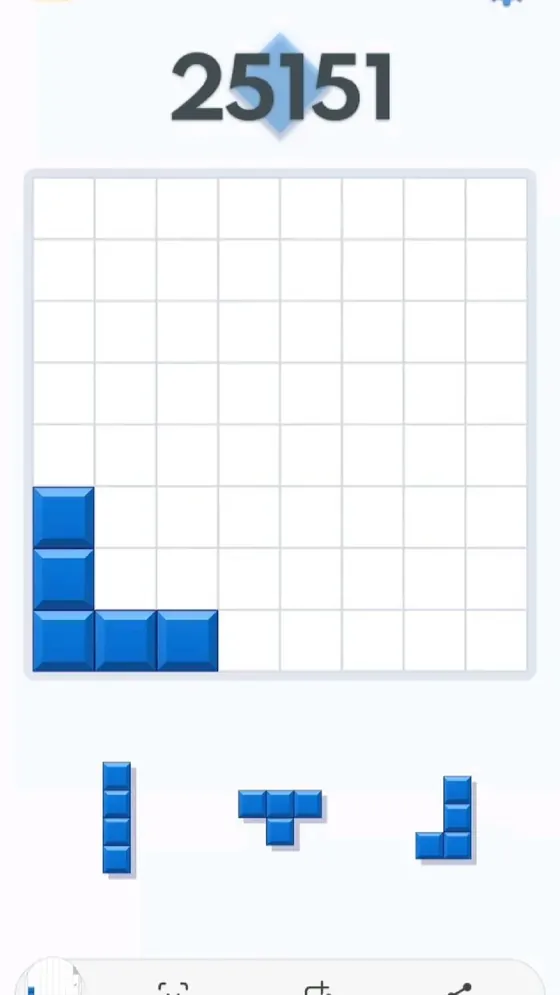
Block Blast Offline Gameplay
The core gameplay runs offline once installedno WiFi or data connection needed for a normal puzzle session, which makes it a common pick for commutes or travel. Features tied to online services, like cross-device syncing, leaderboards, or app updates, do require a connection when you use them.
Common Problems When Downloading or Playing
A few issues come up often enough to be worth knowing in advance:
- Installing from an unofficial APK site instead of the Play Store or App Storethis is where most download-related problems actually originate
- Ad interruptions between rounds, which is standard for free-to-play games but can feel jarring if you weren't expecting it
- The PC version failing to install because a system requirement above wasn't met, most often hardware virtualization not being enabled in BIOS
- Difficulty ramping up as your score climbsboards get tighter to manage as the game progresses, which is intended design, not a bug
If that last one is what's actually slowing you down, our Block Blast Strategy guide covers board control techniques that make a real difference once games start ending sooner than you'd like.
Getting Stuck While Playing? Get Help
The Block Blast Solver runs separately from whatever you're playing onupload a screenshot or rebuild the board manually, and it evaluates the position without touching your actual game or progress.
Frequently Asked Questions About Playing Block Blast
Is Block Blast available on all devices?
The official app is available on iOS, Android, and Windows PC through Google Play Games on PC. Independent browser versions exist separately and aren't automatically affiliated with Hungry Studio.
Can I play Block Blast on PC?
Yes, officially, through Google Play Games on PC. It requires a Windows 10 (version 2004+) PC with a 4-core processor, 8 GB RAM, 10 GB free SSD space, and hardware virtualization enabledthe same general requirements as any other game on that platform, not something specific to Block Blast.
Is Block Blast offline?
Yes. Core gameplay runs offline once installed, on mobile or PC. Features like cross-device syncing or leaderboards need a connection when you use them, but the puzzle itself doesn't.
Can I play Block Blast online for free?
The official app is free on all its supported platforms, including PC via Google Play Games. If you're specifically looking for a browser option, check who operates the site before assuming it's officialour own play online version is one independent option.
Can I use a solver while playing?
Yes. The Block Blast Solver runs separately from the game itself, so using it doesn't modify your app or affect your progress.