Many players search for "Block Blast unblocked" when they want to play the game online without installing an app usually because they're on a school computer, a work laptop, or a device where the app store is restricted.
Our browser game is an independent web-based implementation inspired by the Block Blast-style puzzle format. It is not the official Hungry Studio Block Blast! mobile app.
"Unblocked" usually means one of three things: playing directly in a browser, using a web-based version instead of the mobile app, or trying to access the game on a restricted network. This page covers what that term actually means and how to play the browser version right now.
Want to play immediately? → Play Block Blast online in your browser
What Does "Block Blast Unblocked" Mean?
"Unblocked" is a term that comes from school and workplace network filtering, not from the game itself. It typically refers to:
- Browser-based access, rather than an installed app
- A web version of the game that runs without a download
- Sites that load through a standard browser connection rather than an app store
It does not mean hacking, cheating, or modifying the game in any way it simply refers to how and where you access it.
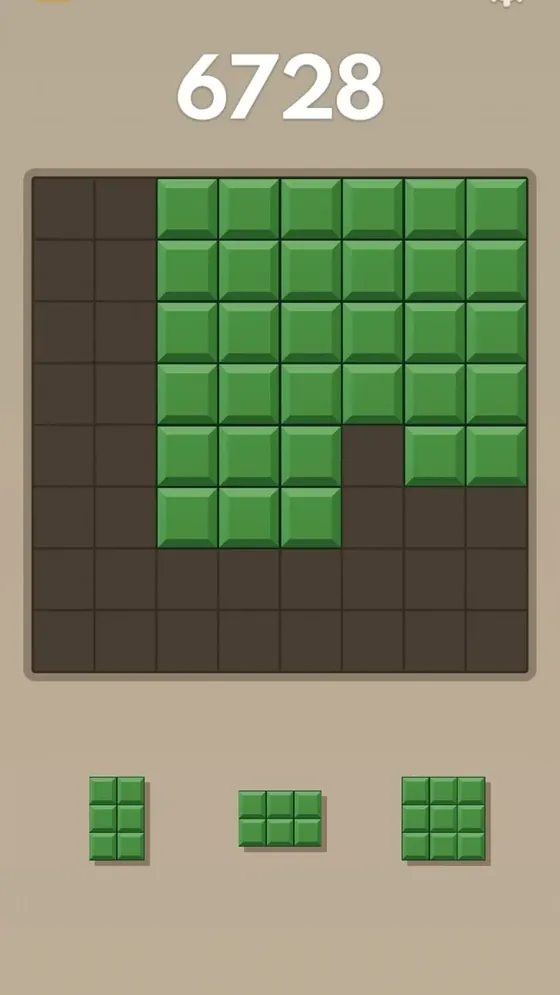
How to Play Block Blast Unblocked Right Now
The fastest way to play Block Blast unblocked is to use a browser-based version directly no app store, no install, no download prompts.
- Open the browser game in a modern browser such as Chrome, Edge, Firefox, or Safari.
- The game loads directly on the page there's nothing to install and nothing to grant permissions to.
- Play using your mouse or trackpad on desktop, or tap-and-drag on a touchscreen device.
- Your best score is saved locally in your browser, so it's there next time you come back on the same device.
Because it runs entirely in the browser, this version works the same way whether you're on a personal laptop, a shared school computer, or a work device as long as the network itself allows browser access to the site.
Playing on School or Work Networks
School and workplace networks may restrict gaming sites or certain categories of websites. Whether a browser-based game like this one is accessible depends on that network's own policies and filtering rules not on anything the game itself does. A lightweight browser game with no downloads and no plugin dependency tends to face fewer restrictions than a large app or an ad-heavy site, but there's no guarantee either way.
Network policy is set by your school or employer, not by us always follow your organization's acceptable use policy. If a site is blocked on your network, that block is intentional and shouldn't be worked around.
Block Blast Browser & Web Versions Explained
A Block Blast browser or web version typically:
- Runs directly in your browser using HTML5 no plugins, no Flash, no installer
- Loads in seconds on most connections, since there's no app package to download
- Uses familiar block-placement mechanics: place shapes on a grid, clear completed lines, and build your score through effective combinations
A few things can differ from the official mobile app: touch gestures feel slightly different with a mouse versus a finger, some visual effects may be simplified for browser performance, and your progress is generally tied to that specific browser rather than synced to an account. If you'd rather use the official mobile app instead, see the Block Blast Download page for legitimate iOS and Android links.
Is Block Blast Unblocked Safe to Play?
Safety comes down to the specific site hosting the game, not the term "unblocked" itself. Before playing on any unfamiliar site, it's worth checking:
- Does it ask you to download anything? A genuine browser game never needs you to download a file to play.
- Does it request unusual permissions? A puzzle game has no legitimate reason to ask for things like your contacts, camera, or device storage.
- Is the connection secure? Check for HTTPS (the padlock icon) in your browser's address bar.
- Is it covered in intrusive ads or redirect pop-ups? That's a common sign of a low-quality or unmaintained site, even if the game itself is harmless.
If a site fails any of these checks, it's best to close it and look elsewhere rather than continue.
Stuck While Playing Unblocked?
Whether you're playing the official app or a browser version, running out of good moves is a normal part of Block Blast the board is designed to get tighter as you clear more lines.
You can use the Block Blast Solver alongside any version of the game to:
- Analyze your current board layout
- Compare possible placements before committing to one
- Find strong moves that clear lines or set up a combo
The solver works independently of where or how you're playing upload a screenshot or rebuild your board manually, and it analyzes the board and available pieces to suggest a recommended move either way.
Frequently Asked Questions About Block Blast Unblocked
Is Block Blast Unblocked the Same as the App?
Gameplay is similar, but visuals, performance, and features may differ from the official mobile app. The core rules placing shapes to clear rows and columns stay the same.
Is Block Blast Unblocked Official?
Not necessarily. "Block Blast unblocked" is a search term commonly used for browser-based versions or ways to access the game when an app or site is restricted. Check the site you're using carefully to determine whether it's an official Block Blast! product or an independent browser implementation this site's browser version is an independent implementation, not the official Hungry Studio app.
Can I Use a Solver While Playing Unblocked?
Yes. The Block Blast Solver works separately from the game itself and can be used no matter where or how you're playing.
Is Playing Block Blast Unblocked Legal?
Playing a browser-based puzzle game is generally not illegal simply because it's described as "unblocked." However, accessing a site in violation of a school, employer, or other network's rules can violate that organization's policies. Always follow the rules that apply to the network you're using.
Does Block Blast Unblocked Work on a Chromebook?
Yes, if the browser and network support it. Because it runs in a browser, no traditional app installation is required.
Do I Need to Create an Account to Play?
No. This browser version does not require an account you can open the page and start playing immediately.